CL Survey - Our Hackathon and MVP Story
How We Bagged 1st Place at the Hackathon and Built the Ultimate MVP
Hackathons are wild rides, but winning one? That’s next-level excitement. Our journey with CL Survey at the February 2024 hackathon was nothing short of a thrill ride. Here’s how we pulled it off, snagged that 1st place spot 🏆, and what went into building the MVP.
The Genesis of CL Survey 🚀
So, here’s the scoop. Our project, CL Survey (short for CaratLane Survey), started with a challenge from one of our product directors: ditch the clunky third-party survey tool and build something slick for in-house use. We were all in.
With just four days on the clock, we knew we had to make every minute count. The goal was to keep things minimal, straightforward, and, most importantly, manageable
Project Breakdown and Features
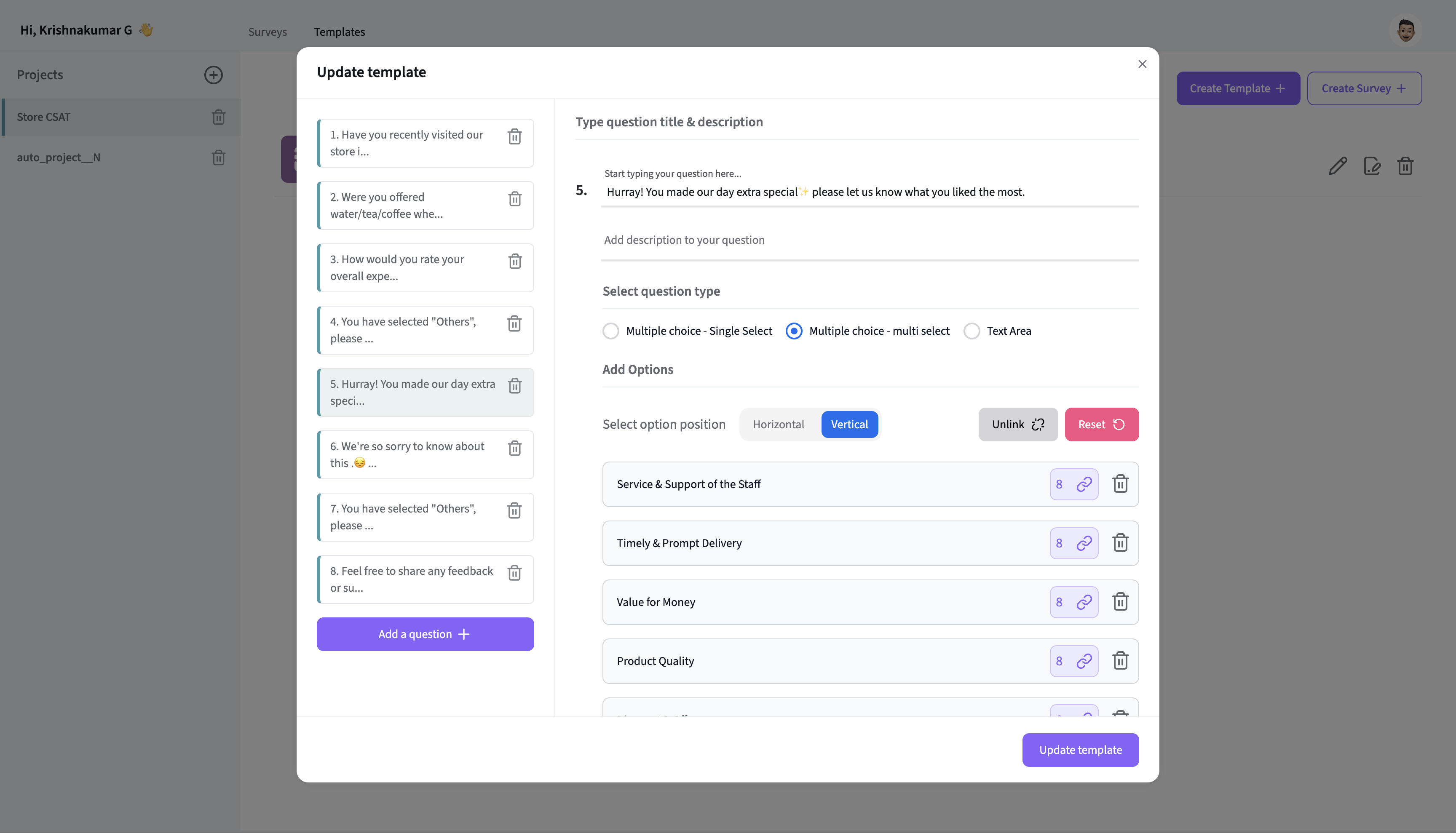
We designed the structure to be as simple as possible: projects would house templates and surveys. Templates are like question banks, while surveys are the final product linked to these templates. This setup makes it easy to reuse questions without reinventing the wheel.
Hierarchy at a Glance 🔍
Project
├── Template
│   ├── Question 1
│   ├── Question 2
│   ├── Question 3
│   └── ...
└── Survey
    ├── Linked Template
    └── Responses
        ├── Response 1
        ├── Response 2
        └── ...
- Project: The top-level entity where you can create and manage multiple templates and surveys.
- Template: A reusable set of questions that can be linked to multiple surveys.
- Questions: The individual questions that make up a template.
- Survey: The actual survey created under a project, linked to a template.
- Linked Template: The template associated with this survey.
- Responses: The responses collected from users who complete the survey.
Implementation Details 💻
We built the UI from scratch, starting with Flowbite React and later switching to Next UI. For survey distribution, we set up an API that sends out unique survey links to users.
We wanted a clean, intuitive interface and a robust backend. The challenge was to create a seamless experience from start to finish
Once users click on the link, they land on the survey page. We capture their responses and store them in our database. Admins can then download responses as CSV reports using an asynchronous API and Node.js worker.
Our Tech Stack 🧰
Hackathon Tech Stack
- Frontend: Next.js, Tailwind CSS, Flowbite, Framer Motion (for those sweet animations)
- Authentication: NextAuth
- Data Fetching: Axios, Axios cache interceptor
- Backend: Node.js with TypeScript, tsup
- Database: MySQL
We had two repos: one for the frontend (dashboard and survey page) and one for the backend.
MVP Tech Stack
For the MVP, we leveled up our tech stack:
- Monorepo Management: Turborepo
- Frontend: Next.js for both dashboard and survey page, Tailwind CSS, Next UI, Framer Motion (animated question transitions)
- Authentication: NextAuth
- Data Fetching: Axios, Axios cache interceptor
- Backend: Node Fastify with TypeScript, tsup
- Database: MongoDB with Prisma
- Monitoring and Logging: Datadog, Rollbar
- Message Broker: Kafka
- Code Quality and Workflow: ESLint, Prettier, Husky, Commitlint
Enhanced Features in MVP ✨
Monorepo Structure 🗂️
We organized everything into a monorepo with three main projects and a shared packages folder, To learn more about Monorepo, please read this post
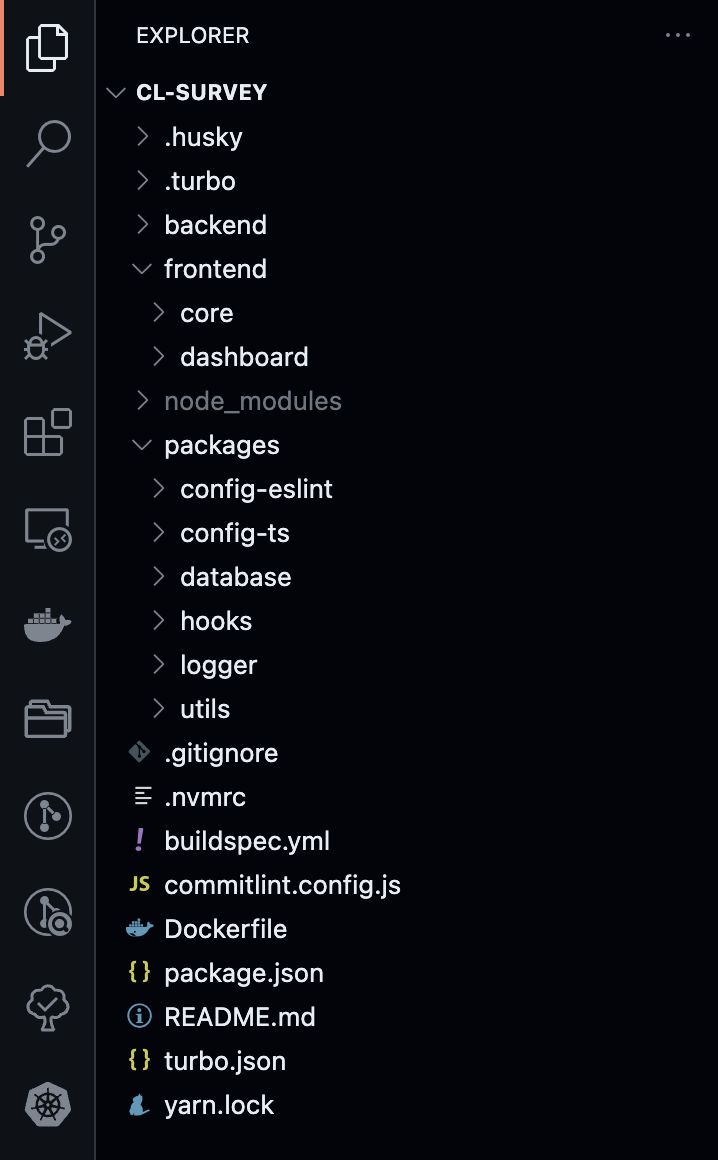
- frontend/core: The survey page customers see.
- frontend/dashboard: Admin dashboard for managing everything.
- backend/core: Handles survey sending, response saving, and more.
- packages: Contains shared configurations and utilities:
- config-eslint: Shared ESLint configuration.
- config-ts: TypeScript configuration for consistency.
- database: Prisma schema and database configurations.
- hooks: Reusable React hooks.
- utils: Utility functions and helpers.
- logger: Fastify logger to log API headers, payload and timestamp
Our monorepo setup allowed us to streamline development and maintain consistency across projects
Streamlined CRUD Operations ⚙️
Using Next.js’s API routes simplified our development process, allowing us to manage everything within a unified framework. For instance, when an admin creates a new survey template, a POST request is sent to the API, validating and inserting data into MongoDB. To display surveys, a GET request fetches the data. Updates are handled via PUT requests, modifying existing entries, while DELETE requests remove specified templates from the database. This approach allowed us to handle create, read, update, and delete operations efficiently and effectively.
Database Shift 🗄️
We moved from SQL to MongoDB for several compelling reasons. The dynamic nature of survey data, with its varying formats and frequent changes, made MongoDB a perfect fit. MongoDB’s JSON-based format allowed us to handle unstructured data more flexibly and efficiently. The ability to store everything in JSON simplified our data model, making it easier to adapt and scale as requirements evolved.
"MongoDB’s write operations outperformed SQL, especially when dealing with large volumes of survey data". The shift also improved our aggregation capabilities. MongoDB’s powerful aggregation allowed us to run complex queries and generate insights quickly, a significant advantage for our reporting needs.
Cool New Features 😎
- OAuth Google Authentication: Only CaratLane folks get in.
- Linked Questions: Create dynamic surveys with linked options.
- Survey Preview: Admins can preview templates before finalizing.
- Reports and Analytics: Axios Cache interceptor, NextUI tables with filters and pagination.
- CSV Reports Download: Asynchronous API and Node.js worker for report generation.
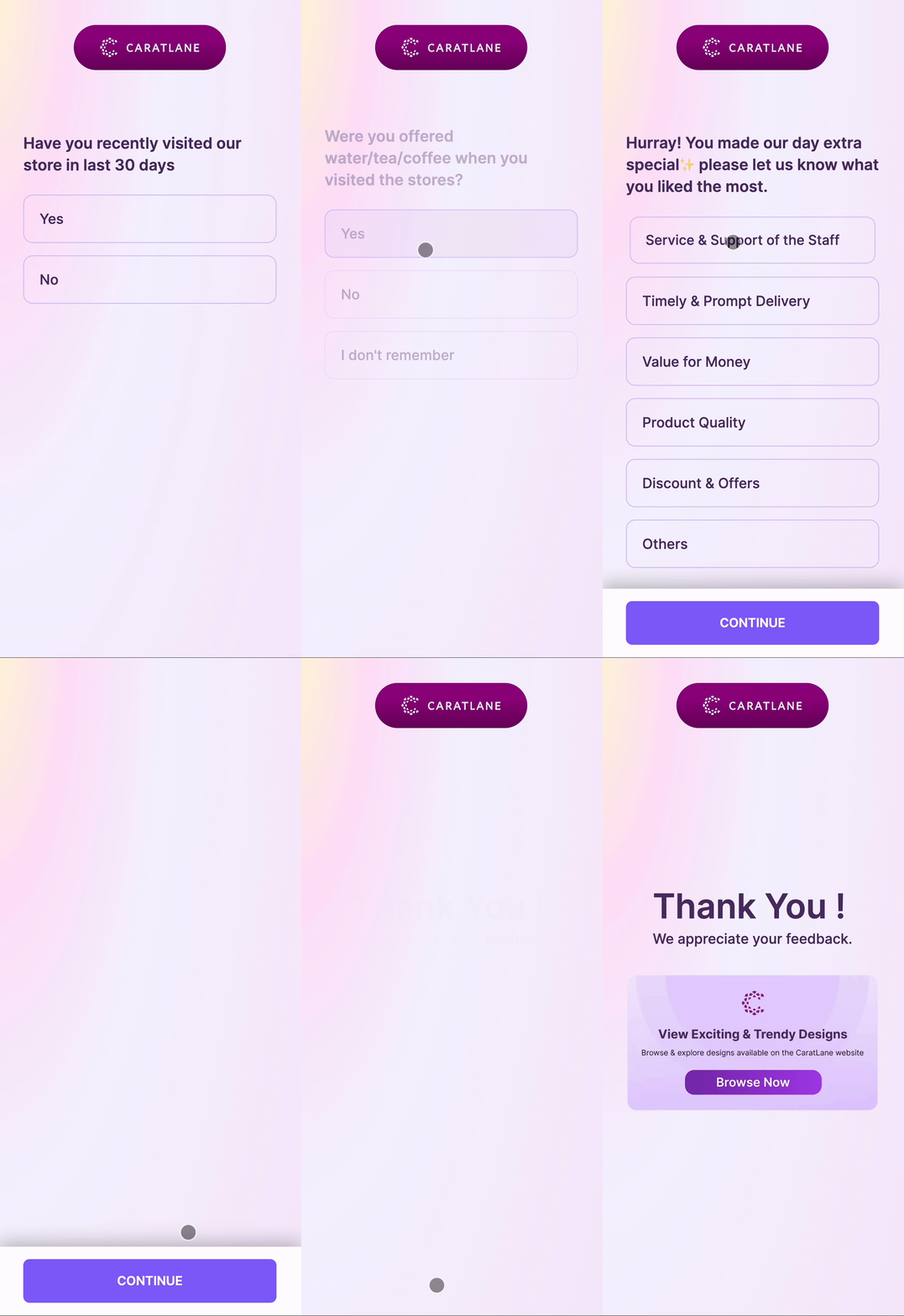
- Redesigned Survey Page: Built with Framer Motion, featuring animated question transitions.
- Kafka Integration: Used Kafka to create survey requests and communicate via internal microservices for WhatsApp and SMS.
The redesigned survey page with Framer Motion brought a fresh, interactive experience to our users. Plus, Kafka integration allowed us to seamlessly manage survey requests and communication to customers
Development Practices 🛠️
We used shared packages for consistency:
- eslint-config, ts-config: For linting and TypeScript setup.
- Database Prisma Schema, utils, and hooks: Shared tools and configurations.
We also set up:
- Prettier for consistent code formatting.
- Husky for Git hooks, ensuring quality checks before commits.
- Commitlint to enforce conventional commit messages.
Special Thanks 🙌
A huge shout-out to my amazing hackathon team — Sudhagar, Ashwin, Parthiban, and Ritesh for their dedication and hard work. And once again special thanks to Sudhagar and Parthiban for their stellar efforts in building the MVP.
A big thanks to Sarmani, our friend's PG and countless cups of coffee for supporting us through two sleepless nights of coding.
Teamwork, perseverance, and caffeine made this success possible. Thanks to everyone who was part of this journey!
Wrapping Up 🎉
Bringing CL Survey to life at the hackathon was a blast. From brainstorming to the final presentation, our focus on simplicity and efficiency paid off. Winning was a huge thing for our team, and we’re excited to see CL Survey go live soon, replacing the existing third-party survey.
Next Up: I will be writing a separate post for Report pagination table implementation and download CSV Reports using asynchronous API and Node.js worker, which will be coming soon. Stay tuned 🚀